Top 7 Laptop Issues and Professional Repair Solutions
Top 7 Laptop Issues and Professional Repair Solutions
Laptop slow chale, heat-up thay, battery jaldi khali thai jaye – aaje kal aa problems almost badha users face kare chhe. In this blog, we’ll explore the 7 most common laptop issues and how professional laptop repairing services diagnose and fix them with expert care. If you want your device to perform smoothly again, this guide is for you.
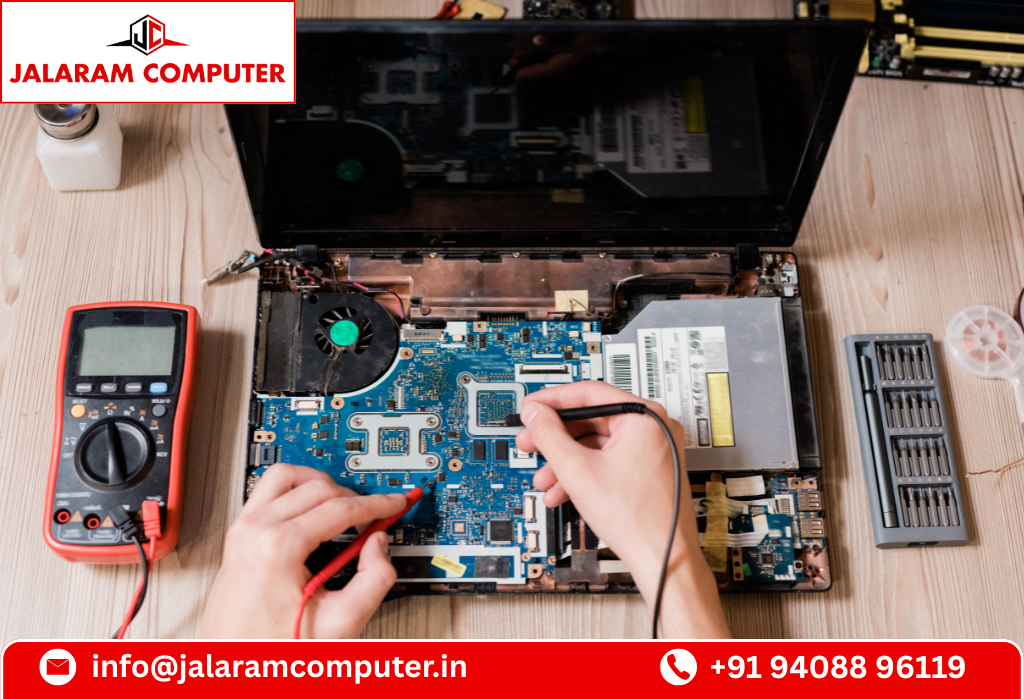
Laptops are now an essential part of our daily life—whether you’re a student, professional, creator, or businessman. But with regular usage, laptops naturally develop performance issues. Many users try temporary fixes at home, but professional laptop repairing services can solve these problems permanently and safely. In this blog, we’ll cover the most common laptop problems and how expert technicians repair them.
1. Slow Performance & System Hanging
One of the most common complaints is a slow or freezing laptop. Over time, laptops accumulate unwanted files, outdated software, and background programs that affect performance. How professionals fix it:
Complete system diagnosis
Removal of malware/viruses
SSD upgrade for faster speed
RAM optimization or upgrade
System cleaning & software tune-up
A proper check-up can improve your laptop speed by up to 5X.
2. Laptop Heating & Fan Noise Problem
Excessive heat can damage internal components like the motherboard, GPU, and battery. Most heating issues are caused by dust blockage or dried-up thermal paste. How experts repair it:
Full-body cleaning
Fan servicing
Replacing thermal paste
Airflow optimization
Regular servicing every 6–8 months can solve 90% heating issues.
3. Battery Draining Quickly
If your laptop battery drains in 1–2 hours, it means the battery has lost capacity or your system has heavy background processes. How repair centers handle it:
Original battery replacement
Power consumption optimization
Charging IC diagnosis
BIOS-level power settings correction
A good-quality replacement battery restores 4–6 hours of backup.
4. Broken Screen or Flickering Display
Accidents, pressure, and internal damage can lead to cracked screens or flickering displays. How technicians fix it:
Screen panel replacement
Display cable/hinge repair
LED/LCD connector check
Touchscreen calibration (if applicable)
Choosing the right screen type is important to maintain brightness and color accuracy.
5. Keyboard Not Working or Random Typing
Dust, liquid spills, or ribbon cable damage cause keyboard malfunction. Solution by professionals:
Cleaning & servicing
Keyboard replacement
Ribbon cable adjustment
Internal moisture removal
If the keyboard is severely damaged, a new high-quality replacement is recommended.
6. Laptop Not Charging / Charging Pin Loose
A loose charging port or faulty adapter can prevent your laptop from charging. How laptop repair shops solve it:
DC jack replacement
Adapter testing
Charging IC repair
Battery connection check
Ignoring charging-pins issues can lead to motherboard failure.
7. Software Issues, Virus Attacks & OS Errors
Pop-up ads, unknown software, sudden restarts, and OS corruption are signs of software-level problems. How experts fix it:
OS installation
Driver updates
Virus & malware removal
Data backup and recovery
Professionals use licensed tools to protect your data and system.
Why Professional Laptop Repairing Services Are Important?
Trying DIY fixes can sometimes worsen the problem. Experts provide:
Accurate diagnosis
Quality spare parts
Warranty on repairs
Data protection
Long-term solutions
Professional service ensures your laptop performs like new without risking damage.
Tips to Keep Your Laptop Healthy
Clean your device regularly
Avoid overcharging
Keep your laptop on a flat surface
Use an original charger
Update Windows & drivers
Don’t ignore early warning signs
A little care can extend the life of your laptop by years.
Conclusion
A laptop is a long-term investment, and keeping it in good condition is essential. Whether you’re facing speed issues, battery problems, heating, or software errors, a reliable laptop repairing service can restore your device’s performance quickly and safely. Always choose a trusted repair center that provides original parts, expert technicians, and warranty support.












Leave a comment